
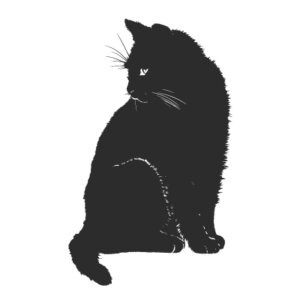
Horse ID: 1635252957342
(Downloads - 4)
How to download and use the “Horse ID: 1635252957342” SVG
- Click the Download Now button above to save the free “Horse ID: 1635252957342” file to your device.
- Unzip the file if it downloads as a .zip, then locate the .svg file.
- Import the SVG into Cricut Design Space, Silhouette Studio, Brother CanvasWorkspace, or any vector editor such as Inkscape or Illustrator.
- Resize it to fit your project — SVG files stay crisp at any size — and ungroup to edit or recolor individual layers.
- Cut on vinyl, card, or heat-transfer material, or print it for stickers, cards, and animals decor.
Frequently asked questions
Is the “Horse ID: 1635252957342” SVG really free?
Yes. Every design in the gallery, including this animals design, is free to download and use for both personal and commercial projects. No sign-up or payment is required.
What file format do I get?
You get a clean, layered SVG (Scalable Vector Graphic). Because it’s a vector, it can be scaled to any size without losing quality, and the colors can be edited layer by layer.
Which cutting machines are supported?
The SVG works with Cricut (Design Space), Silhouette (Studio — SVG import may require the Business Edition), Brother ScanNCut, and any software that opens SVG files.
Can I sell products made with this design?
Yes — you can use it on finished items you sell, such as shirts, mugs, and signs. You may not resell or redistribute the SVG file itself as-is.
How do I change the colors?
Open the file in your design software, ungroup the layers, and recolor each shape. You can also convert your own image to SVG anytime with our free PNG to SVG converter.



Reviews
There are no reviews yet.